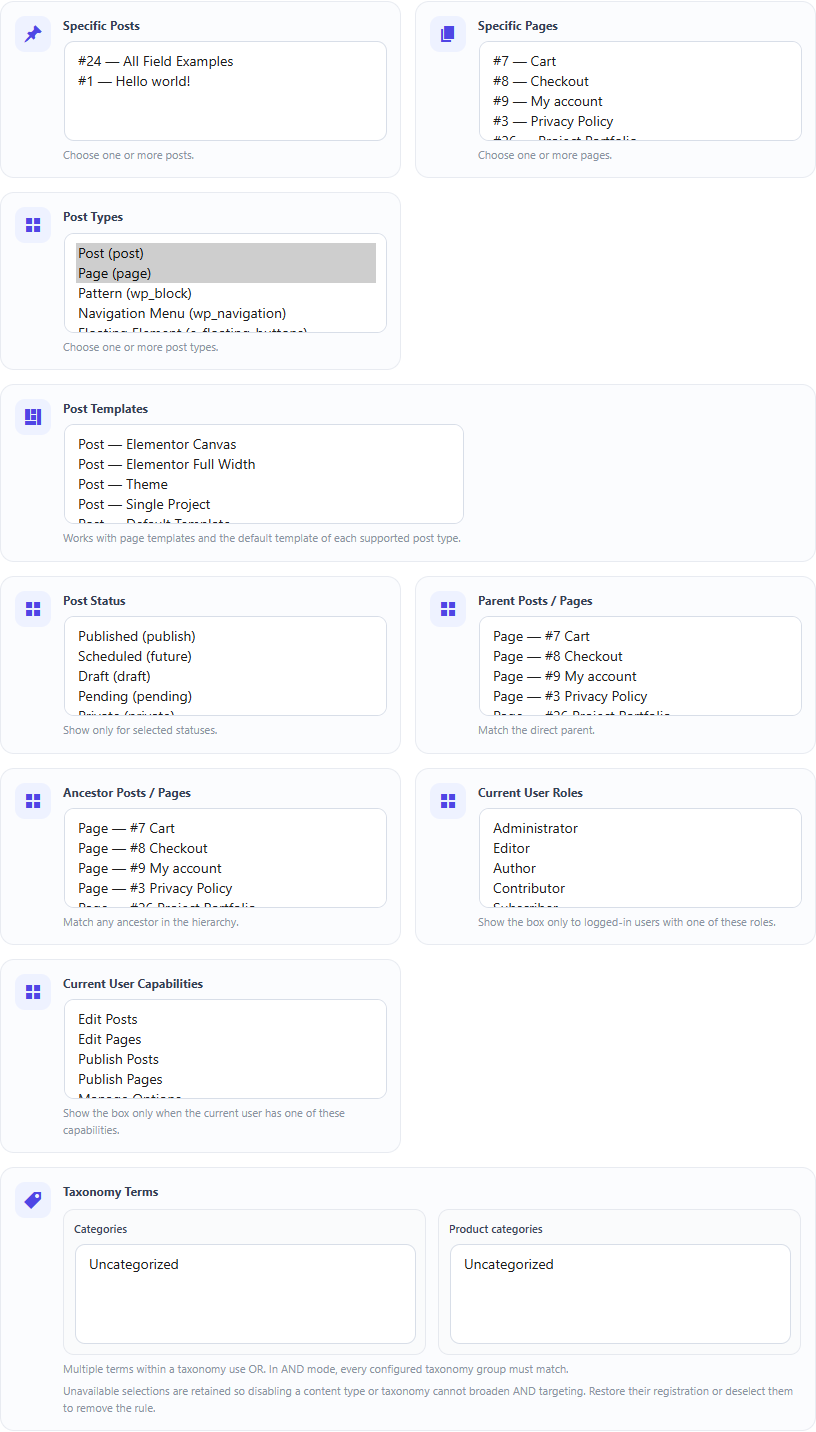
Control exactly where the meta box appears, including advanced content and user context.
Screenshots and walkthrough — expand to view
Screenshots use sample data and English labels. Follow the translated instructions on this page; your theme, language, permissions and license can change the available controls. Select an image to view it at full size.
Targeting controls decide which content editors show this Meta Box.
What it doesDefines the content, hierarchy, taxonomy, status and current-user conditions that can display the meta box.
Use it whenYou need precise placement, such as a product category, child page, status, editor role or capability.
How to configureChoose target values and use OR for legacy behavior or AND when multiple targeting dimensions must match.
Saved asContent IDs, post type/template identifiers, taxonomy term IDs, hierarchy IDs, statuses, roles and capabilities.
EXAMPLE
Show on products
Post Types → product
Existing configurations default to OR logic. Advanced targeting is additive and only applies when configured.