Screenshots use sample data and English labels. Follow the translated instructions on this page; your theme, language, permissions and license can change the available controls. Select an image to view it at full size.
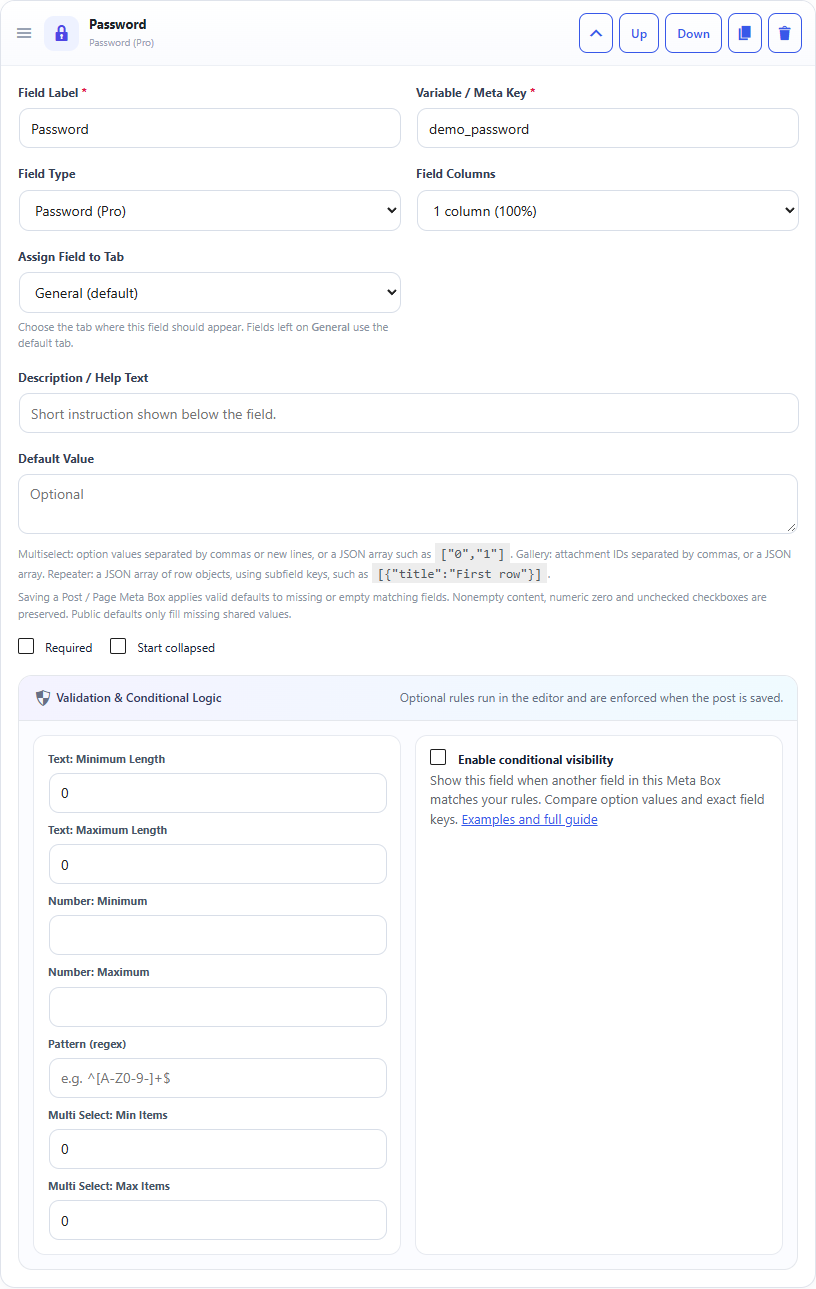
Password field: builder settings, storage key and validation options.Password field: sample controls in the content editor.
What it doesDisplays typed characters as a password-style input.
Use it whenNon-critical protected-looking values where masking is useful.
How to configureSelect Password. Leave default empty unless you deliberately want a preset value.
Saved asPlain post meta after sanitization.
EXAMPLE
Access Label
private-area
Read a Password Field in PHP
Use the field Key from the builder as the second argument of get_post_meta(). Escape or sanitize the value for its final output context.
$value = get_post_meta( get_the_ID(), 'your_meta_key', true );

// Use only for non-sensitive values.
echo esc_html( $value );
Security warning: this field is stored as ordinary post meta and is not an encrypted secret store. Do not use it for passwords, API keys, tokens or other sensitive credentials.
Security: this field is not encrypted. Do not store API secrets, payment credentials or sensitive passwords here.