Screenshots use sample data and English labels. Follow the translated instructions on this page; your theme, language, permissions and license can change the available controls. Select an image to view it at full size.
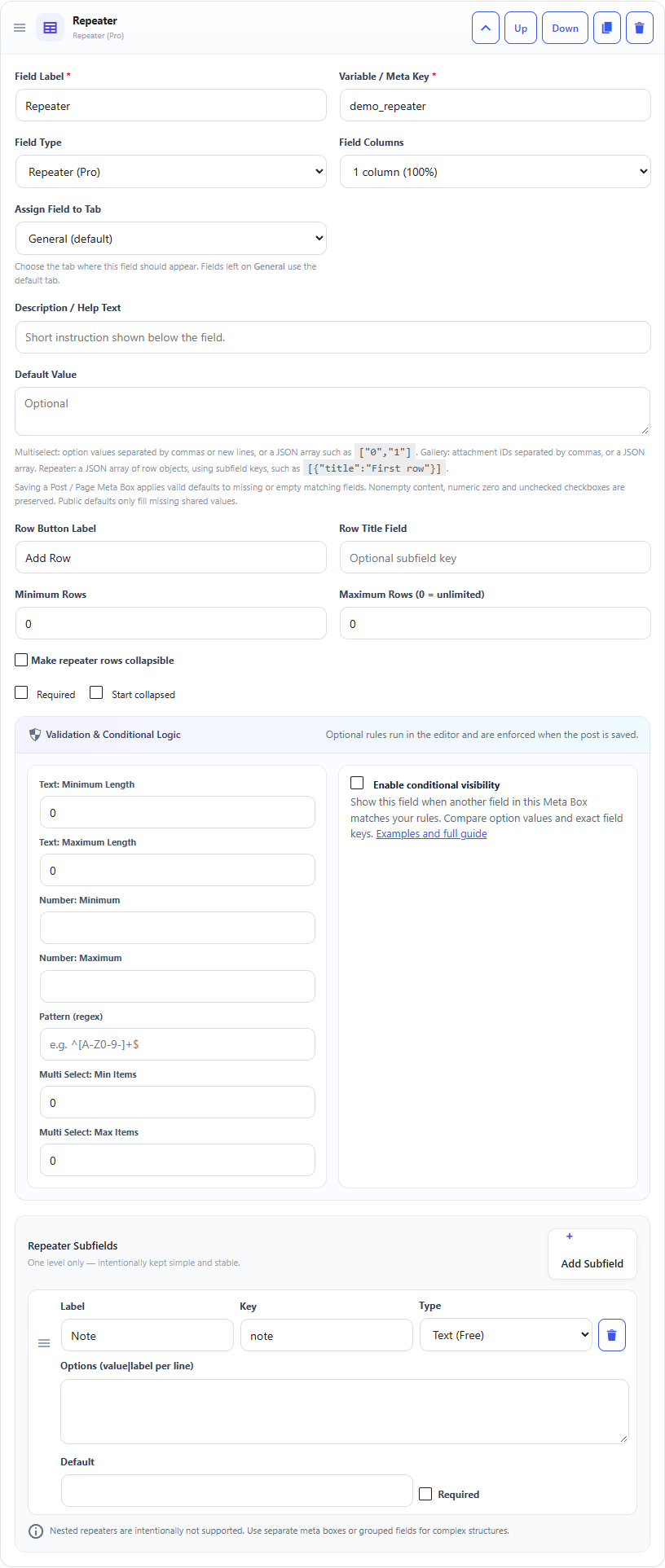
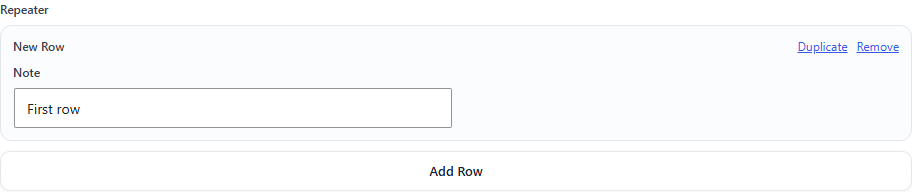
Repeater field: builder settings, storage key and validation options.Repeater field: sample controls in the content editor.
What it doesStores a list of rows where every row has the same subfields.
Use it whenFAQs, team members, features, specifications or simple item lists.
How to configureSelect Repeater, then add subfields. Keep the structure one level deep.
Saved asAn array of row arrays in post meta.
EXAMPLE
Team Member
name + role + email
Read a Repeater Field in PHP
Use the field Key from the builder as the second argument of get_post_meta(). Escape or sanitize the value for its final output context.
A Repeater stores an array of row arrays. Each row uses the subfield Key you configured. If a subfield is an Image, Gallery or Multi Select, that subfield keeps its own special array/attachment-ID structure. Security: Escape the value for its output context; do not print unescaped post meta directly into HTML.
Design choice: nested repeaters are intentionally excluded. Use separate boxes or grouped fields for more complex structures.