
Elementor Pro Support (Pro)
Connect existing DMGB fields to Elementor Pro dynamic tags, Theme Builder templates, loop items and WooCommerce product layouts. These integrations are DMGB Pro features.
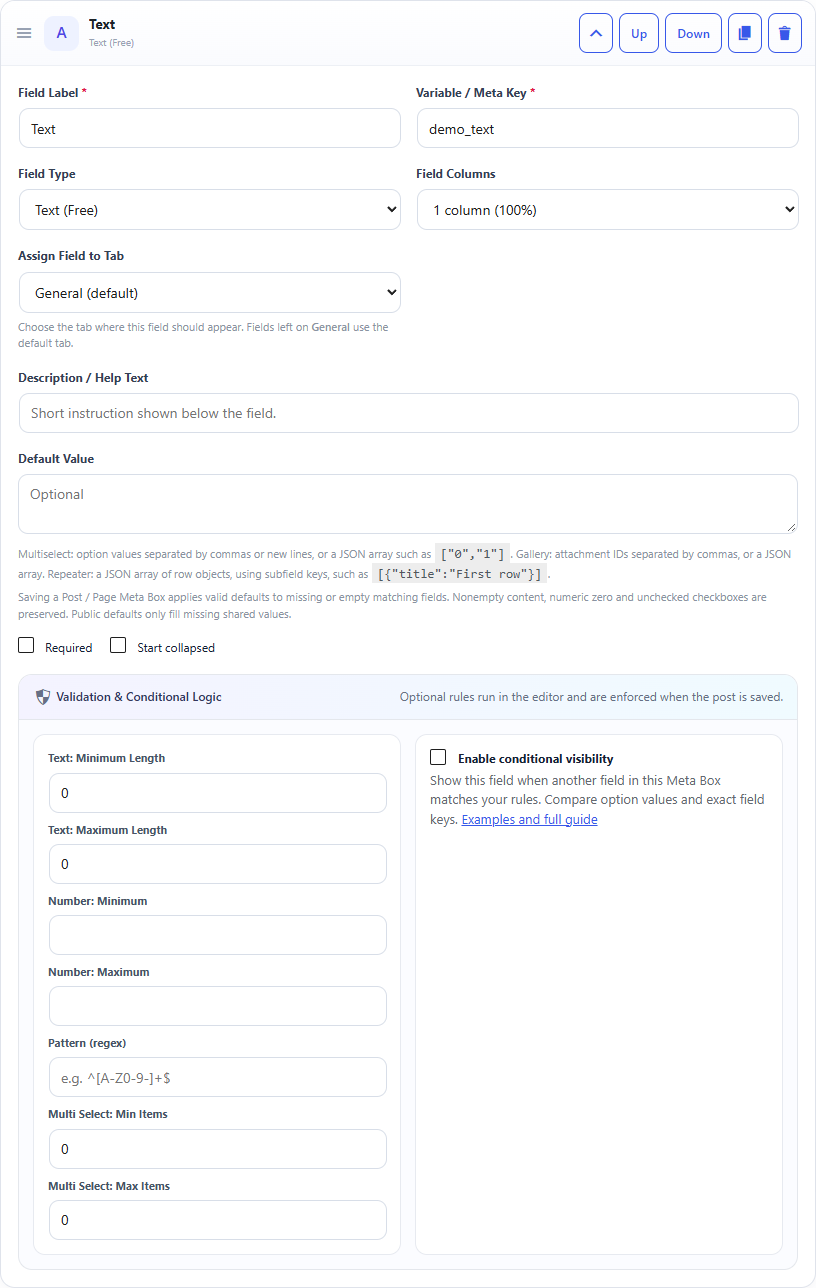
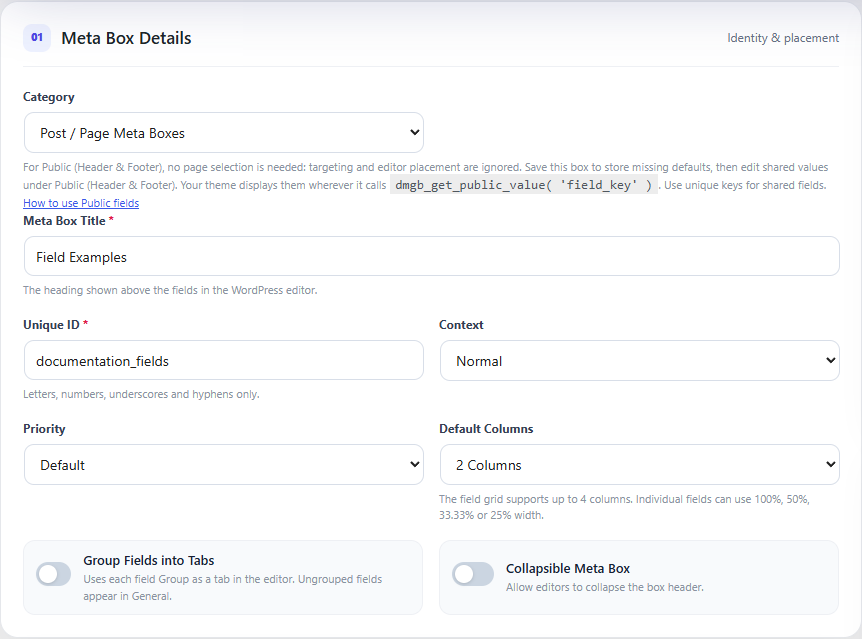
Screenshots and walkthrough — expand to view
Screenshots use sample data and English labels. Follow the translated instructions on this page; your theme, language, permissions and license can change the available controls. Select an image to view it at full size.
License renewal and Pro access
If you do not renew an expiring DMGB Pro license, paid feature editing and configuration will be locked after expiry unless you have another active license or an eligible trial. This includes Pro field editing, custom block REST integration, new WooCommerce customer inputs and field writes, and Elementor tag configuration and editor previews. Existing saved values and supported read-only frontend output remain available in the premium edition. Renew and activate the license to restore access; a still-valid lifetime license does not need renewal.
1. Requirements and Pro access
Install Elementor and Elementor Pro 3.5.0 or newer, plus the DMGB premium edition. An active DMGB Pro license or eligible trial enables tag selection and editor previews, including when the selected field uses a free type. DMGB Pro does not unlock Elementor Pro or features missing from your Elementor plan.
Choose a widget control that supports dynamic content. Under its dynamic icon, open Dynamic Meta Box Builder (Pro). Six tags are provided: DMGB Text, Number, URL, Color, Image and Gallery. Elementor decides which categories each widget control supports.
The integration loads safely when dependencies are available. Without Elementor Pro it registers no tags. Existing configured frontend output remains available in the premium edition after DMGB license expiry, while editor configuration is locked. Removing the premium plugin or Elementor Pro removes the integration. Values remain in their original DMGB storage.
2. Create a field and connect a heading
- In Meta Boxes, create a post/page box and configure its targeting.
- Add a Text field with key
hero_title. Save the definition. - Edit a matching page in WordPress, enter the field value and save.
- Edit its Elementor layout. Select a Heading widget, open the Title dynamic icon and select DMGB Text.
- Open the tag settings and select the matching box and field. Leave Content source as Current post / loop item.
- Save the layout, reload and check the frontend.
This integration reads fields; it does not replace the DMGB editing form or write field values from Elementor. The selector lists configured compatible fields, including keys with only a default or no saved value. Arbitrary metadata keys are not accepted.
Example: heading field
DMGB box: Hero
Scope: Post / Page
Targets: Pages
Field: Text
Key: hero_title
Saved page value: Welcome to our studio

Elementor Heading > Title > Dynamic > DMGB Text
DMGB field: Post / Page — Hero — Hero title [hero_title]
Content source: Current post / loop item
3. Tags and compatible field types
- Text: Text, Textarea, Number, Email, URL, Date, Date & Time, Color, Checkbox, Select, Multi Select, Radio and WYSIWYG. Checkboxes display translated Yes/No; choices can display translated labels or saved values.
- Number: Number and Checkbox. Returns a numeric value; unchecked Checkbox is zero. Use Text for localized number formatting.
- URL: URL and Email. Email produces a mailto link. Unsafe URL protocols are rejected.
- Color: Color. Returns a validated hexadecimal color.
- Image: Image attachment ID, converted to the image structure Elementor expects.
- Gallery: Gallery attachment IDs, converted to gallery image records. Available only in controls accepting gallery dynamic data.
Password, Hidden, protected underscore keys, unsupported extension types and Repeater are excluded. This release does not add a repeater layout widget or universal repeater binding. For WYSIWYG, plain text is the default; enable Allow WYSIWYG markup only in an HTML-capable widget. Output keeps only allowed WordPress post markup.
Example: button, image and color
URL key: contact_url
Button > Link > Dynamic > DMGB URL > contact_url

Image key: hero_image
Image > Choose image > Dynamic > DMGB Image > hero_image

Color key: accent_color
Compatible color control > Dynamic > DMGB Color > accent_color

The field picker lists only types compatible with the selected DMGB tag.
4. Public Header and Footer fields
Create a Public box, save shared values on Public (Header & Footer), then select a Public field in the dynamic tag settings. Shared values work without a current post, including headers, footers, archives, search results and 404 templates. Content source and Post / product ID are ignored for Public fields.
For example, use Public Image header_logo, Text footer_text and URL contact_url in their matching Elementor controls. Use unique field keys. The integration keeps the selected scope distinct even if a legacy configuration contains the same key in Public and post boxes.
Example: shared footer
DMGB box: Site footer
Scope: Public Header / Footer
Text key: footer_text
URL key: footer_contact_url

Elementor Theme Builder > Footer
Text Editor > Dynamic > DMGB Text > Public footer_text
Button > Link > Dynamic > DMGB URL > Public footer_contact_url
5. Theme Builder previews and loop items
Current post / loop item follows the WordPress post context that Elementor supplies. A Single template therefore reads its content post, and each loop item reads its own post. In Theme Builder, configure Preview Settings with a matching post/page/product. The integration also checks the current document preview query when the global post is a template; it does not read metadata from the Elementor template itself.
Post fields have no implicit source on an empty archive or 404 page. Use a Public field or choose Specific post or product and enter a positive ID. A fixed ID still respects targeting, publication and metadata permissions, and resolves its translated post when WPML/Polylang provides one. A specific variation ID reads that variation; changing a variation dropdown does not automatically change the Elementor tag source.
Example: a loop of books
Custom post type: book
Matching DMGB Number field: rating

Elementor Loop Item > Heading > Dynamic > DMGB Text > rating
Content source: Current post / loop item
Number output: Localized number
Decimal places: 1

Book A rating 4.5 and Book B rating 3.8 render their own values.
Choose a real book in template Preview Settings.
6. Formatting, defaults and saved empty values
Text tags offer translated choice labels or stored choice values, a Multi Select separator, WordPress/custom/raw date formatting, and raw/localized numbers with zero to eight decimal places. Dates use the WordPress timezone and locale. Formatting never changes stored data.
Missing fields first use their valid configured DMGB default. Optional fallback text/numbers apply only when both the value and valid default are missing. A saved blank, zero, unchecked Checkbox or empty list is intentional and does not trigger fallback. Missing media returns no image/gallery; invalid attachments are ignored. Unauthorized, deleted, disabled or mismatching field references return no output and do not expose a fallback as if they were valid sources.
Display translations change labels and descriptions while preserving field keys, types, validation rules and choice values. Invalid translated choice labels fall back to their configured source labels.
Example: date and choices
Date key: event_date
Saved value: 2026-10-10
DMGB Text > Date output: Custom date format
Date format: F j, Y

Multi Select key: services
Choices: design|Design, support|Support
Saved values: design, support
Choice output: Translated choice labels
Multi Select separator: /
Result: Design/Support (translated where configured)
7. WooCommerce product and variation templates
Install WooCommerce and configure a Product or Variation assignment under DMGB WooCommerce Support. Its compatible fields appear under WooCommerce Product / Variation in the tag picker. Values are read through WooCommerce CRUD, respecting enabled assignments, product targeting, conditional field visibility and variation inheritance.
Use dmgb_wc_warranty in a Text tag, dmgb_wc_manual_url in a URL tag or a product Image field in an Image tag. Product assignments target product objects; Variation assignments target variation objects. Inherited values apply only when enabled and the variation has no stored value. A saved empty variation value remains empty. Checkout assignments, orders, customers and personalization snapshots are not offered as public Elementor sources.
Automatic display positions and the existing WooCommerce shortcode remain separate from Elementor tags. Avoid selecting both an automatic display position and an Elementor placement if that would duplicate the same content.
Example: product warranty
DMGB box: Product specifications
Text key: dmgb_wc_warranty
WooCommerce assignment: Product, enabled

Elementor Single Product > Text Editor
Dynamic > DMGB Text > WooCommerce Product / Variation warranty
Content source: Current post / loop item

For a Variation assignment, use a specific variation ID to preview its value.
Enable inheritance to read a missing variation value from its parent.
8. WPML, Polylang and Arabic
Translate your posts/products and their field values through WPML or Polylang using DMGB existing metadata configuration. Current/fixed content IDs resolve to the current language when a translation exists; a missing translation retains the source ID. Field keys, tag names and saved choice values stay unchanged. Define targeting that matches translated content too, or use post-type targeting. For WooCommerce ID/category/tag targeting, enable its existing translated-target setting when needed.
Configured field/box labels and choice labels use the existing DMGB string-translation hooks. Public text uses translated shared values even in Elementor AJAX previews without changing source settings. Numbers, dates and Yes/No use the active WordPress locale. Arabic integration controls are bundled and the documentation retains the plugin RTL layout. This is integration with your installed translation plugin, not automatic machine translation.
Example: translated service label
Select key: service
Saved option key: support
English option label: Support
Arabic translated option label: الدعم

DMGB Text > Choice output: Translated choice labels
English page displays Support; Arabic page displays الدعم.
The saved option key remains support.
9. Privacy, permissions and frontend output
Selecting a field publishes its output in that layout. Only use content intended for visitors. The integration accepts configured supported field references, excludes Password/Hidden/protected keys and never reads order/customer sources. It respects current box targeting and WooCommerce assignments.
Public visitors can read only publicly viewable, non-password-protected content. Draft/private/password-protected posts can be previewed only through an authenticated Elementor editor/preview request with edit permission for the post and metadata key. Private content is not made public merely because an administrator is visiting the frontend. Product variations also check their parent. Attachments belonging to inaccessible content are omitted.
Text is escaped, rich markup is allowlisted, links use safe protocols and colors are validated. The integration adds no public field-write endpoint. Use your normal DMGB controls to edit values.
Image and Gallery tags also reject invalid attachment IDs and nonpublic attachment statuses on the frontend. Private attachments are available only in an authenticated Elementor preview with permission to edit the attachment and its content source.
Image and Gallery tags also respect an attachment’s own password protection. Protected media requires editing access in an authenticated editor preview.
10. Performance, cache and updates
Definitions are cached within each PHP request; values are resolved for the current source on every read so separate loop items and languages do not share the wrong value. The integration loads no additional frontend JavaScript/CSS. Elementor can recognize its registered dynamic tags when evaluating element caching.
Changes to DMGB definitions, Public values, WooCommerce assignments or compatible post/product metadata schedule one Elementor file-cache clear at request shutdown. This refreshes generated CSS that can contain dynamic colors or other field values. It does not purge external full-page/CDN caches. After changing content, clear relevant site/CDN caches if the old output remains.
Keep Elementor, Elementor Pro and DMGB updated together on staging. Test controls that actually expose dynamic tags, Theme Builder preview and loop context in the editor you use. Retain stable box IDs/field keys when importing definitions or moving Elementor templates; replacing either breaks the saved reference. No values are copied into Elementor template storage.
11. Developer context and examples
Companion integrations may override dmgb_elementor_post_id when a custom loop uses another content object. Return its positive post/product ID; the integration still checks translation, targeting, publication and permissions. Do not derive IDs from untrusted request data or bypass access checks. Keep companion code in your own plugin or child theme.
For PHP templates, the existing dmgb_get_public_value() and dmgb_get_product_value() helpers remain available. Escape values for their output context and enforce visibility in your own PHP code. These raw PHP helpers do not apply the Elementor adapter access policy.
Example: a trusted custom-loop context
add_filter( 'dmgb_elementor_post_id', function ( $post_id, $settings ) {
    // Set this global only inside your own authenticated/validated loop renderer.
    $custom_id = $GLOBALS['my_site_loop_post_id'] ?? 0;
    return is_int( $custom_id ) && $custom_id > 0 ? $custom_id : $post_id;
}, 10, 2 );
Example: shared value in a child-theme template
if ( function_exists( 'dmgb_get_public_value' ) ) {
    echo esc_html( dmgb_get_public_value( 'footer_text', '' ) );
}
12. Troubleshooting and verification checklist
- No DMGB tags: confirm the premium DMGB edition, active license/trial, Elementor and Elementor Pro versions, and a control with dynamic support. Reload the editor after activation.
- Field missing: verify the tag type, saved definition, scope, WooCommerce assignment destination and safe key/type. A Repeater cannot be selected as a scalar tag.
- Empty output: check the current post/preview source, targeting, publication, conditional product rules, valid attachment IDs and intentionally saved empty values.
- Wrong loop value: select Current post / loop item and confirm the loop establishes its WordPress post context. Use the developer filter only for a custom context.
- Translation missing: check translated post metadata, registered choice/Public strings, current language and translated targeting. There is no automatic text translation.
- Stale output: clear external page/CDN caches and use Elementor tools to regenerate CSS/data if needed.
- License expired: Pro editor selection/previews are locked; existing frontend output remains in the premium edition. Renew access before configuring new tags.
Test a heading, button URL, image, gallery and dynamic color; missing/default/blank/zero values; two different loop items; Public fields on an empty archive; product and inherited variation values; Arabic and translated choice labels; unauthorized/private/protected content; disabled/deleted definitions; dependency removal and license expiry.
Documentation for Dynamic Meta Box Builder 9.5.0.