Select one image from the WordPress Media Library.
Screenshots and walkthrough — expand to view
Screenshots use sample data and English labels. Follow the translated instructions on this page; your theme, language, permissions and license can change the available controls. Select an image to view it at full size.
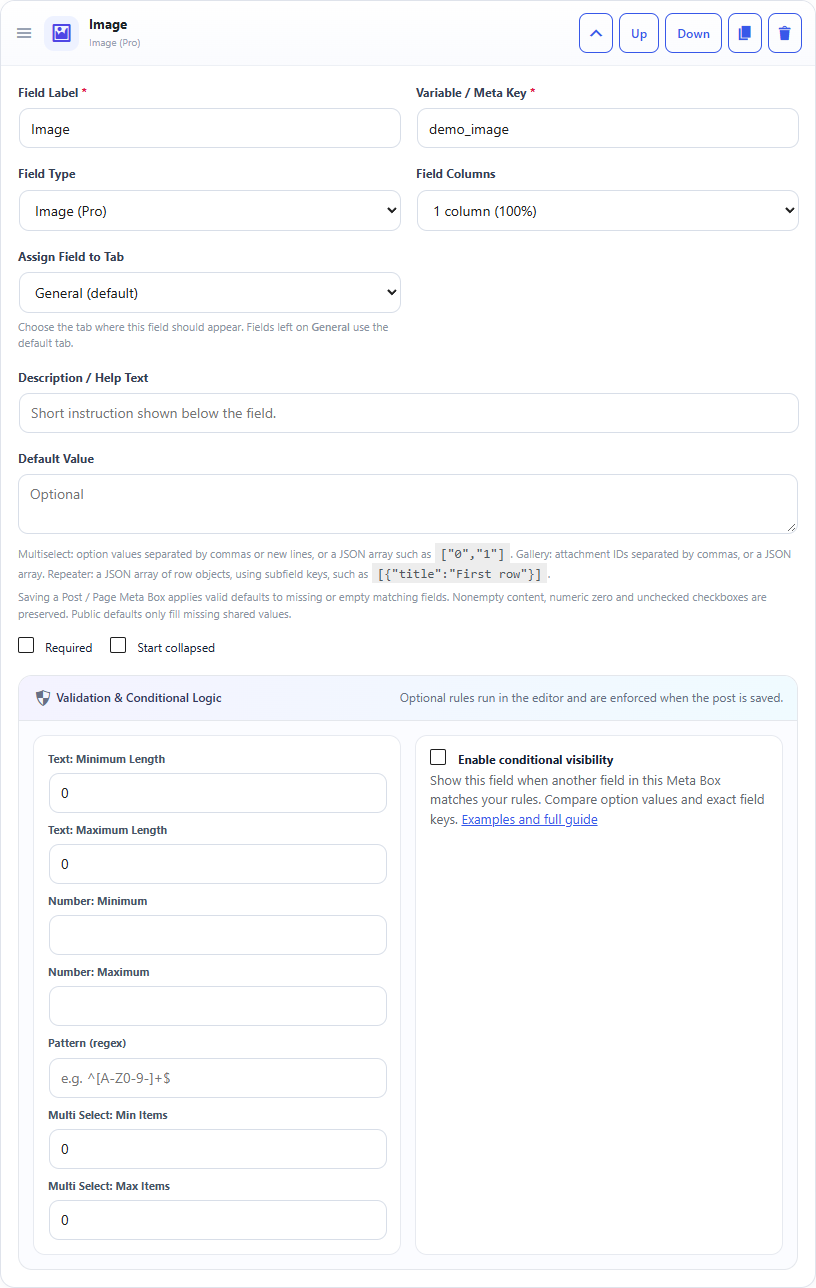
Image field: builder settings, storage key and validation options.Image field: sample controls in the content editor.
What it doesStores one attachment ID and displays a preview.
Use it whenHero images, logos, icons, thumbnails or featured visual content.
How to configureSelect Image. Editors use the Media Library button to choose or upload one image.
Saved asA WordPress attachment ID.
EXAMPLE
Hero Image
Attachment ID: 123
Read an Image Field in PHP
Use the field Key from the builder as the second argument of get_post_meta(). Escape or sanitize the value for its final output context.
// Get the stored WordPress attachment ID.
$image_id = (int) get_post_meta( get_the_ID(), 'your_meta_key', true );

if ( $image_id ) {
    // 1. Generate a complete WordPress image element.
    echo wp_get_attachment_image( $image_id, 'full' );

    // 2. Get the direct image URL.
    $image_url = wp_get_attachment_url( $image_id );

    if ( $image_url ) {
        echo '<a href="' . esc_url( $image_url ) . '">Open image</a>';
    }

    // 3. Get the image URL and dimensions.
    $image_src = wp_get_attachment_image_src( $image_id, 'large' );

    if ( $image_src ) {
        $src    = $image_src[0];
        $width  = (int) $image_src[1];
        $height = (int) $image_src[2];

        echo '<img src="' . esc_url( $src ) . '" width="' . esc_attr( $width ) . '" height="' . esc_attr( $height ) . '" alt="" />';
    }
}
Important: an Image field does not store the image URL. It stores the WordPress attachment ID. Use wp_get_attachment_image() when you want WordPress to generate the complete <img> HTML, wp_get_attachment_url() when you need the direct image URL, or wp_get_attachment_image_src() when you need the image URL plus its dimensions. Security:get_post_meta() only retrieves the stored value; it does not make it safe for HTML output. Use esc_url() for URLs and esc_attr() for HTML attributes, and do not print unescaped post meta directly into HTML.